
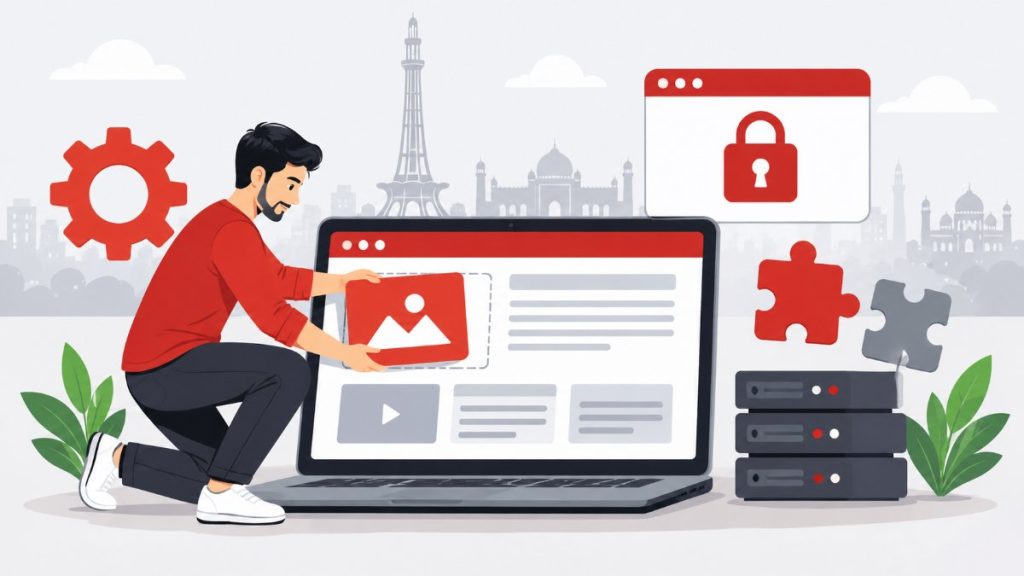
If you have ever wondered how to make a website on WordPress, the good news is that you do not need to be a programmer. WordPress is a free, open-source content management system that lets you build a blog, a business site, a portfolio or an online store using ready-made themes and plugins. Students, freelancers and small business owners across Pakistan use it because it is flexible and beginner friendly.
This guide walks you through the whole process in plain language, from choosing a domain name to publishing your first pages. Follow the steps in order and you will have a clean, working website that you can keep improving over time.
What you need before you start
A self-hosted WordPress website needs only a few things. Arrange these first and the rest becomes much easier.
- A domain name: your address on the internet, such as yourname.com or yourbusiness.pk.
- Web hosting: the space where your website files and database are stored.
- A clear purpose: decide whether the site is a blog, a portfolio, a company profile or a shop. This decides which pages and plugins you need.
- Basic content: a short introduction, your services or topics, contact details and a few good images.
WordPress.org or WordPress.com?
Beginners often confuse the two. WordPress.org is the free software that you install on your own hosting, which gives you full control over themes, plugins and your data. WordPress.com is a hosted service that runs the software for you with different plans. This guide covers the self-hosted route, because it is the one most clients and employers expect you to know. For current plans and charges of any hosting or domain company, always check the official website.
How to make a website on WordPress: step by step
- Choose and register your domain. Keep it short, easy to spell and related to your name or business. Avoid numbers and hyphens where you can.
- Buy hosting and connect the domain. If the domain and hosting are from different companies, you point the domain to the hosting by updating its nameservers. Your hosting provider shows the exact values in its dashboard.
- Install WordPress. Most hosting control panels include a one-click installer. Choose your domain, set a site title, create an admin username with a strong password and run the installation.
- Turn on SSL. An SSL certificate makes your site load on https and shows the padlock in the browser. Many hosts provide one from the control panel. Activate it before you add content.
- Log in to the dashboard. Add /wp-admin after your domain name and sign in. This is where you manage everything: posts, pages, media, themes and plugins.
- Fix the basic settings. Under Settings, set the site title and tagline, choose the correct timezone, and change Permalinks to the “Post name” option so your links are short and readable.
- Install a theme. Go to Appearance, then Themes, and pick a lightweight, well-reviewed theme. A simple, fast theme is better than a heavy one full of effects you will never use.
- Create your main pages. Add Home, About, Services or Courses, Blog and Contact from the Pages menu.
- Build the menu. Under Appearance, create a navigation menu and add your main pages in a logical order.
- Add essential plugins. Install only what you need (see the list below), then test the site on a mobile phone before sharing it.
Essential plugins for a new WordPress site
Plugins add features without coding, but every extra plugin can slow the site down. Start with one plugin for each job:
- SEO: a plugin to set page titles, meta descriptions and an XML sitemap.
- Security: a plugin that limits login attempts and scans for problems.
- Backup: scheduled backups stored away from your hosting account.
- Caching: a caching plugin to make pages load faster.
- Contact form: a simple form so visitors can reach you.
- WooCommerce: only if you plan to sell products online.
Always install plugins and themes from the official WordPress directory or the developer’s own website. Pirated or “nulled” files are a common cause of hacked websites.
Practical example: a five-page website for a small business
Imagine a home bakery in Lahore that takes orders through WhatsApp. A simple, effective structure would be:
- Home: one clear headline, a short introduction, three best-selling items and a button to the contact page.
- About: who runs the bakery and what makes it different.
- Menu: items grouped by category with clear photos.
- Blog: useful posts such as cake care tips or how to order for an event.
- Contact: a contact form, phone number, delivery areas and opening hours.
The same structure works for a tutor, a photographer or a freelancer. Change the Menu page to Services or Portfolio and you have a complete professional site.
Common mistakes beginners make
- Using “admin” as the username with a weak password.
- Installing dozens of plugins and never updating them.
- Uploading very large images straight from a phone or camera, which slows every page.
- Forgetting to check how the site looks on mobile.
- Leaving the “Discourage search engines from indexing this site” option ticked after launch.
- Never taking a backup until something breaks.
What to do after launch
Once the site is live, add it to Google Search Console, submit your sitemap and publish helpful content regularly. Learning the basics of search engine optimisation will help your pages appear when people search for your services.
Learn this at Skills Up Academy
Reading a guide is a good start, but building real websites with a trainer checking your work is faster. Skills Up Academy has been teaching computer and digital skills since 2011 and has trained 3,000+ learners. The academy is registered with the Skills Development Authority, Govt. of Punjab, offers classes at its campus in Lahore, Pakistan as well as online, and issues certificates that can be verified online.
Our WordPress course covers themes, plugins, page building and site management, while the website development course goes deeper into how websites are built.
New batches start on 1 January 2027. Admissions are currently closed. For details of the next batch and the latest fee, message us on WhatsApp.
Frequently asked questions
Can I make a WordPress website without coding?
Yes. Themes control the design and plugins add features, so you can build a complete site without writing code. Basic HTML and CSS knowledge is helpful later when you want to customise things.
Is WordPress free?
The WordPress software itself is free and open source. You pay separately for a domain name and hosting, and some themes and plugins have paid versions. Check each provider’s official site for current charges.
How long does it take to build a basic website?
If your content is ready, a simple five-page site can be set up in a day or two of focused work. Learning to do it well, with good speed, security and SEO, takes regular practice over several weeks.
Can I earn from WordPress skills in Pakistan?
WordPress skills are used in freelancing, agency work and in-house jobs. Common services include building business websites, fixing errors, improving speed and managing online stores. Your income depends on your skill, portfolio and the clients you find.